01
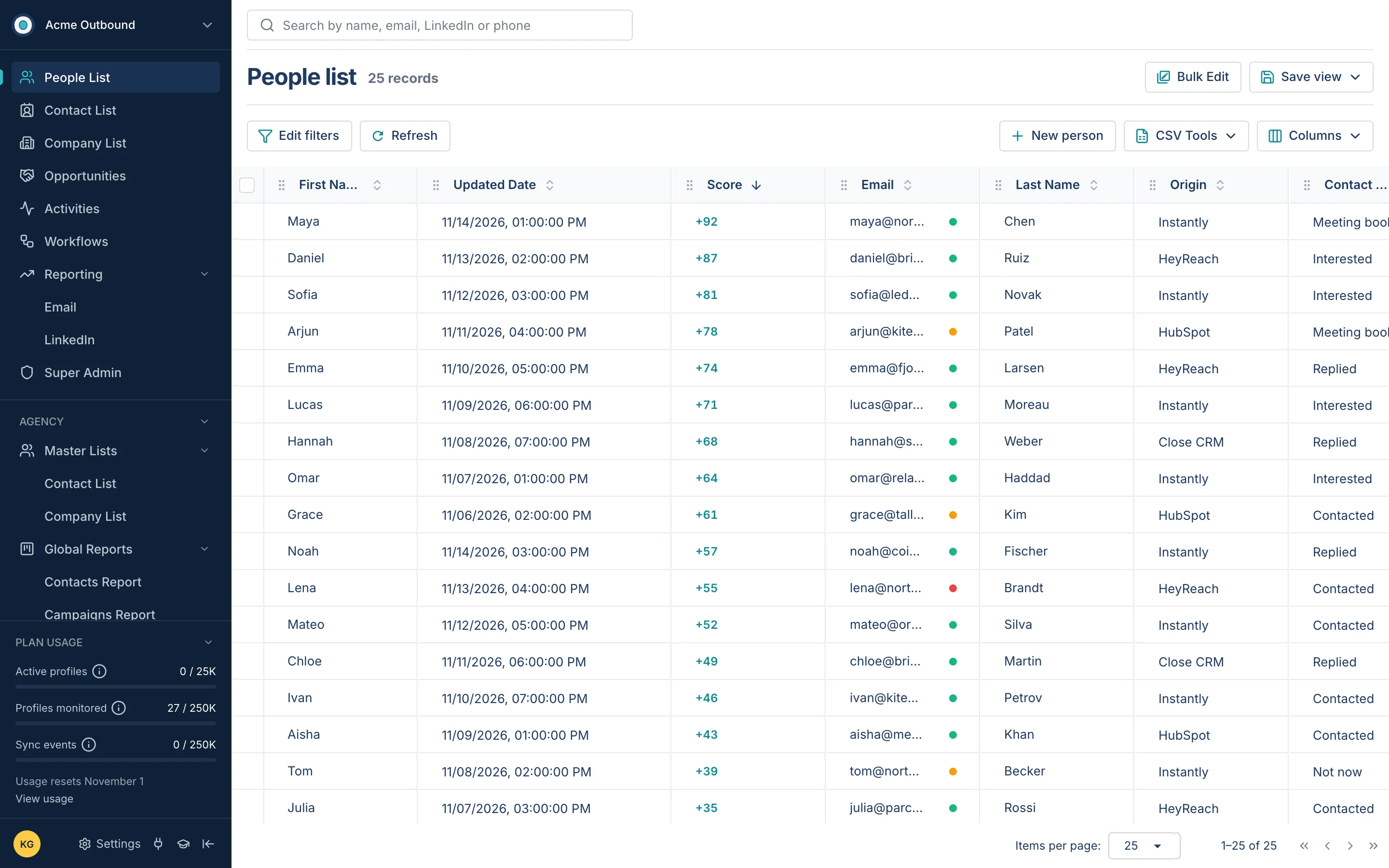
The People list
Everyone the team is talking to, sorted by score, with the email status, where they came from and where the conversation stands.
A RevOps platform for B2B outbound teams and agencies: every person, company and touch from sequencers, CRMs, LinkedIn and the website in one place, with scores, reports and workflows. I work on the front end.
B2B outbound teams and agencies run campaigns across sequencers, CRMs, LinkedIn and their own website. The same person showed up in five tools, the history of a deal was spread across all of them, and nobody could say at a glance who was warm today.
RevyOps pulls it together: one record per person and per company with a single activity timeline, a score that rises with every reply and fades with time, lists you can filter and save, reports for email and LinkedIn, and workflows that act when someone enters a view. I joined the team in October 2025 as a front-end developer; the screens below are parts I built or rebuilt — the People list, the person and company pages, the workflow builder and the reports.
Everyone the team is talking to, sorted by score, with the email status, where they came from and where the conversation stands.
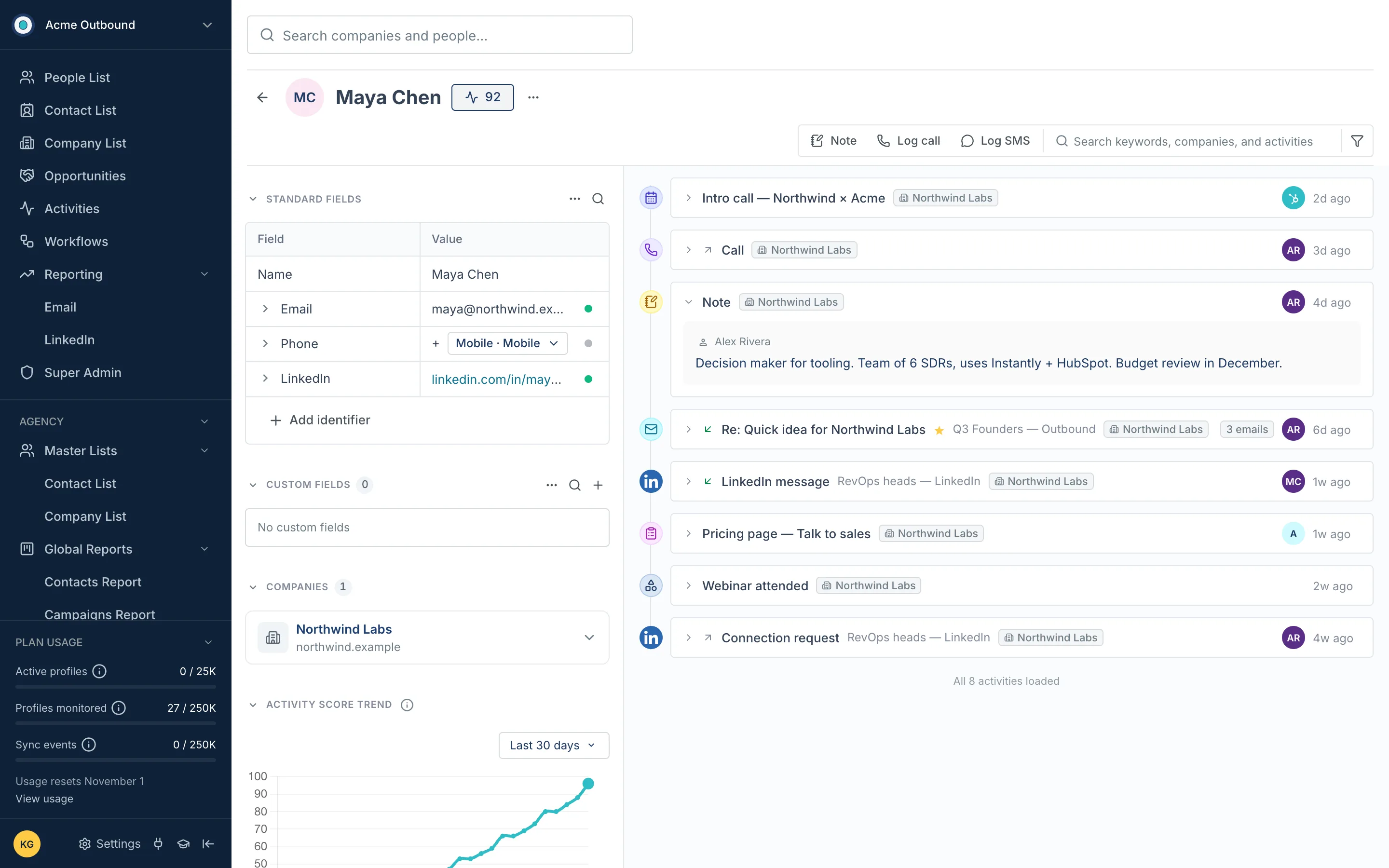
Fields and identifiers on the left, the score trend under them, and on the right one timeline: the meeting, the call, the note, the email thread, LinkedIn, the form they filled in.
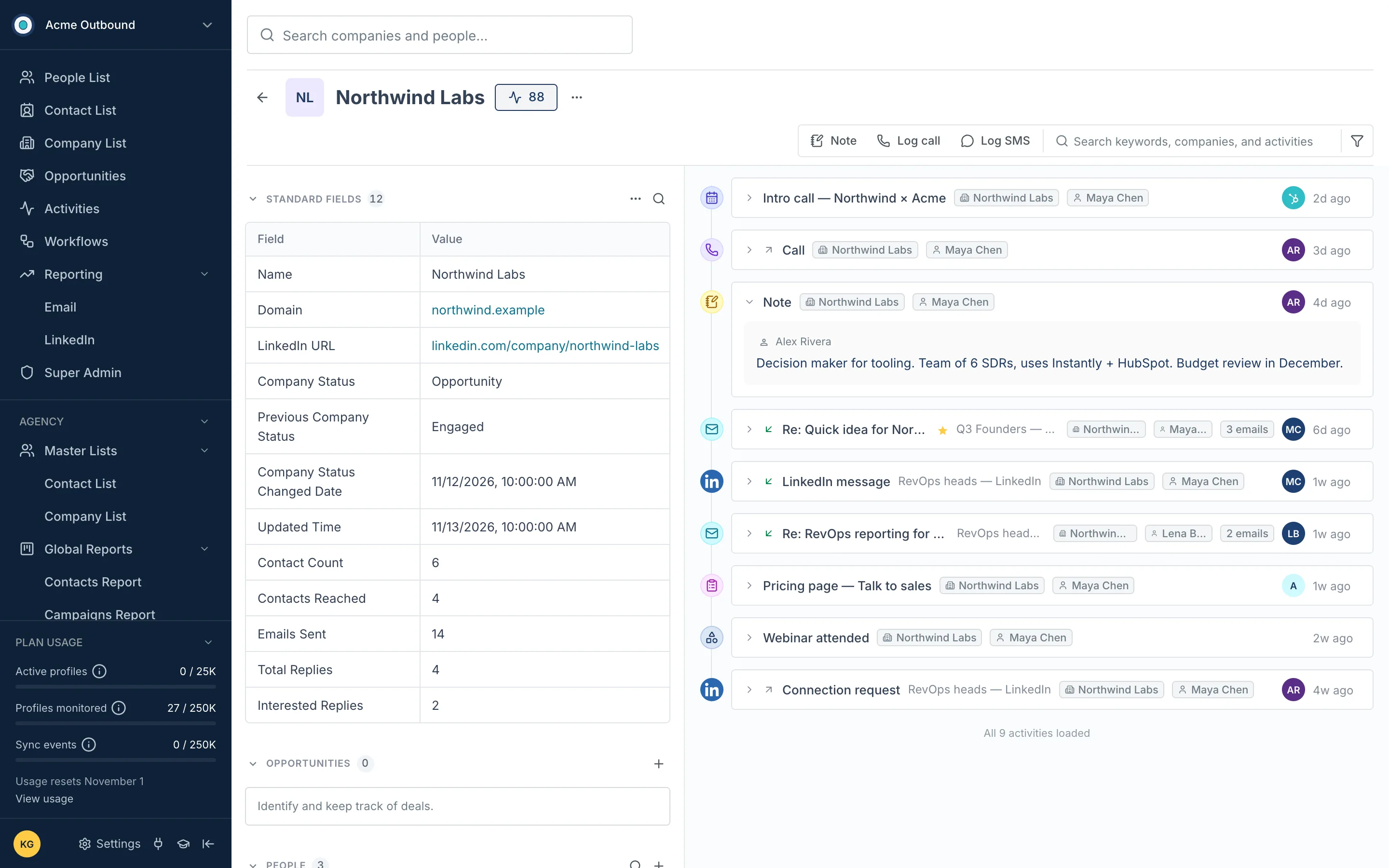
The same timeline for the whole account, with who each activity came from — so a deal reads as one story, not five inboxes.
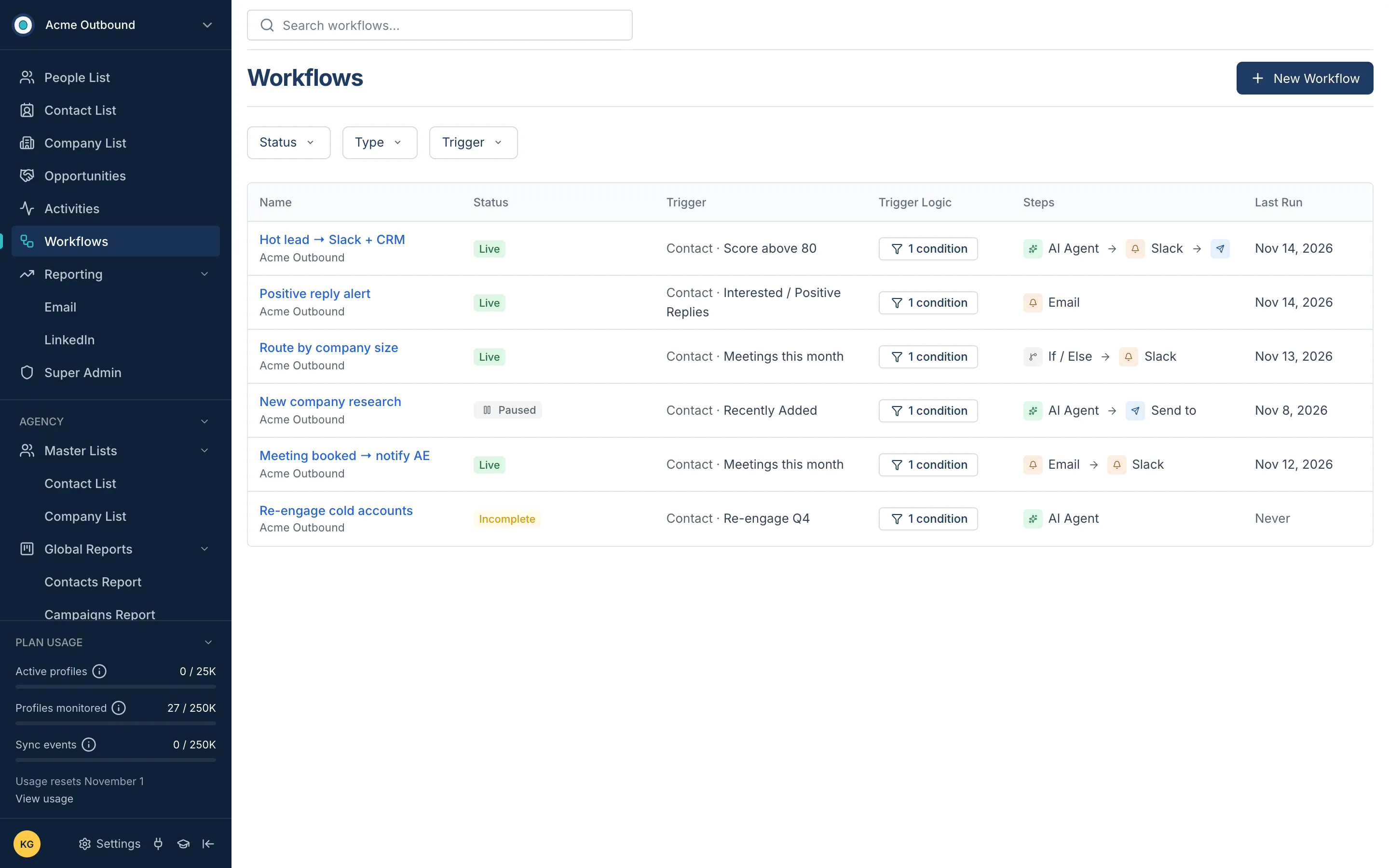
What runs automatically, what it starts from, its steps and when it last ran.
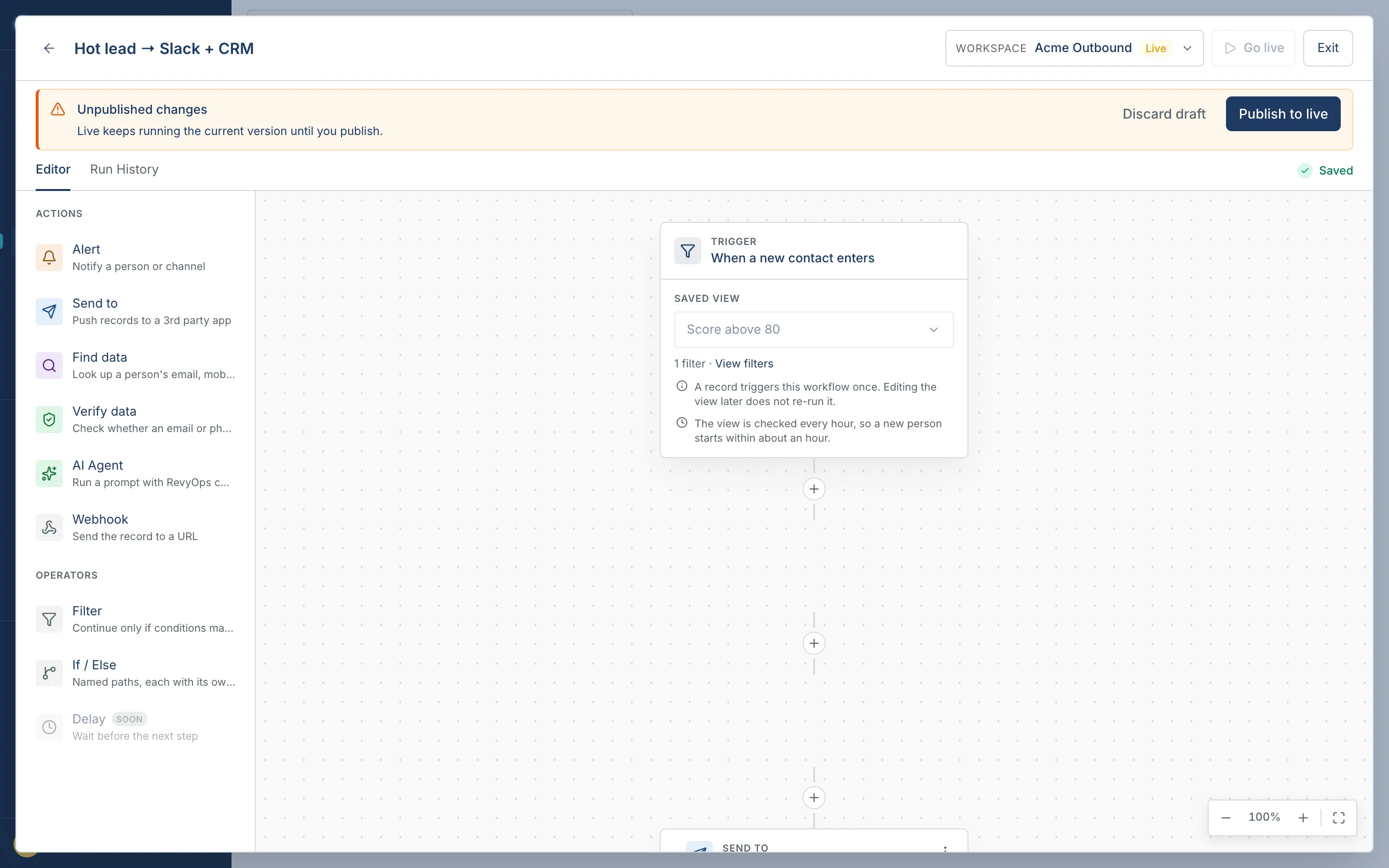
Trigger from a saved view, then AI agents, alerts, branches and pushes to other tools — drafts stay apart from what is live.
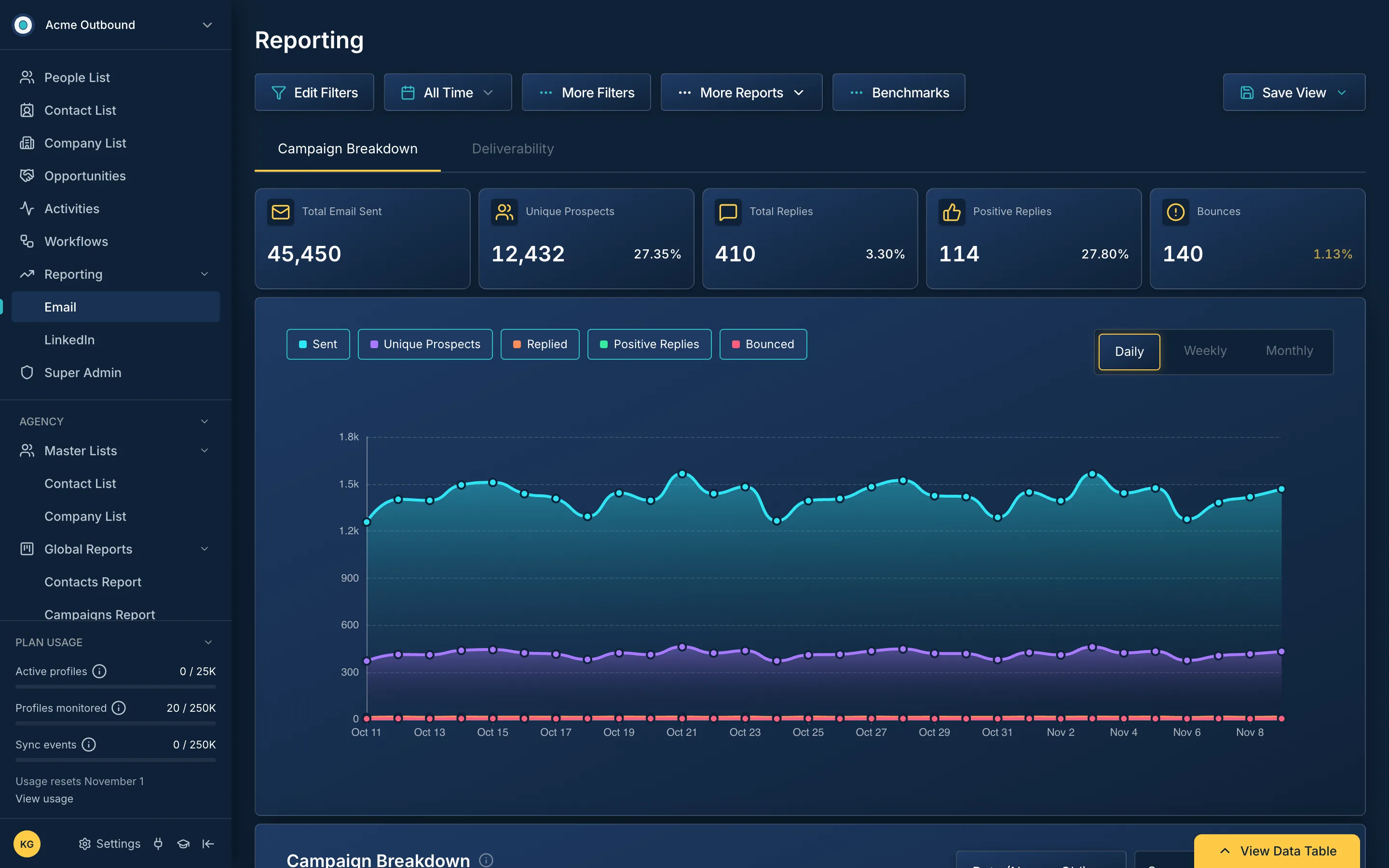
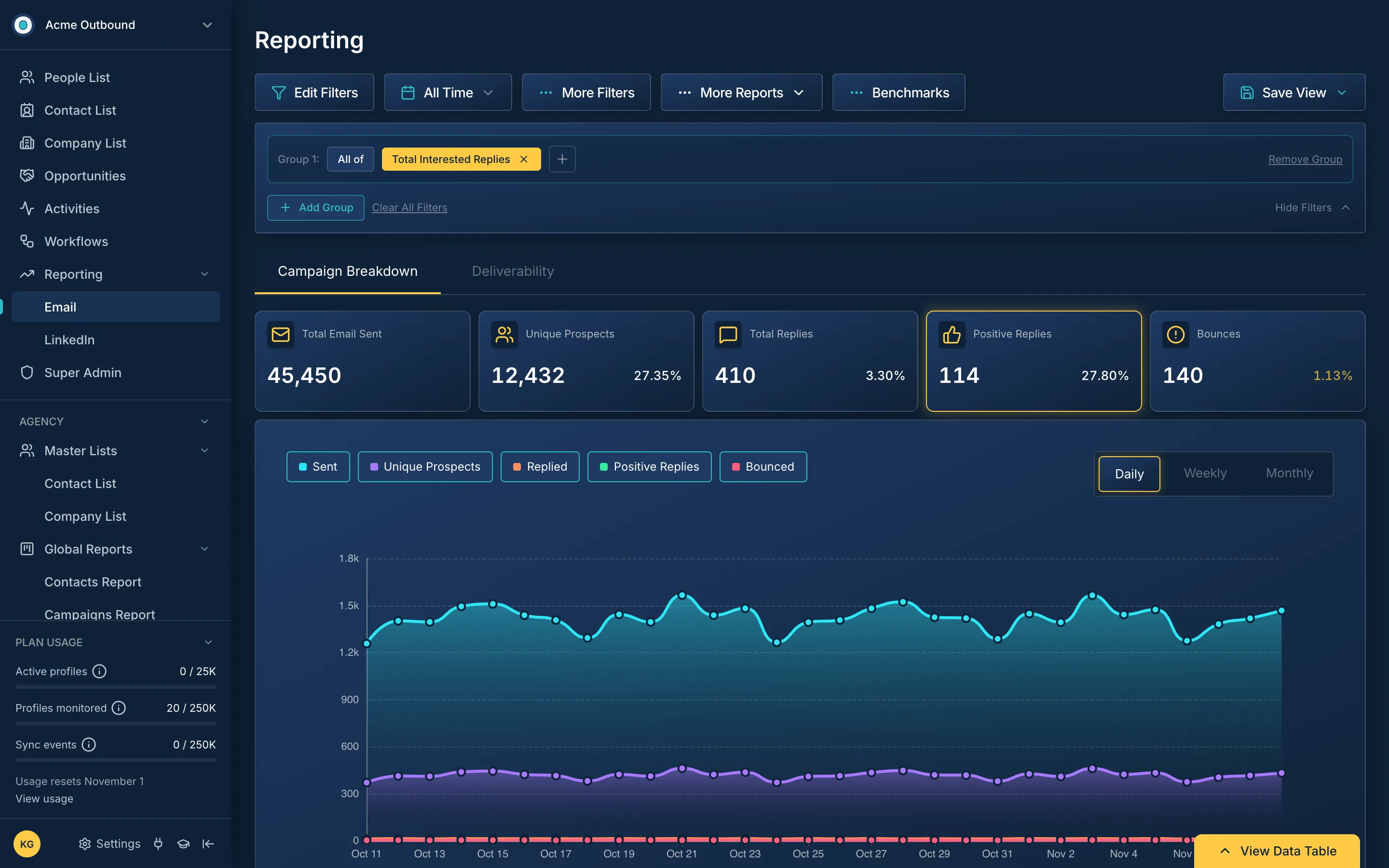
Campaign results across every sequencer on one screen, readable at a glance.
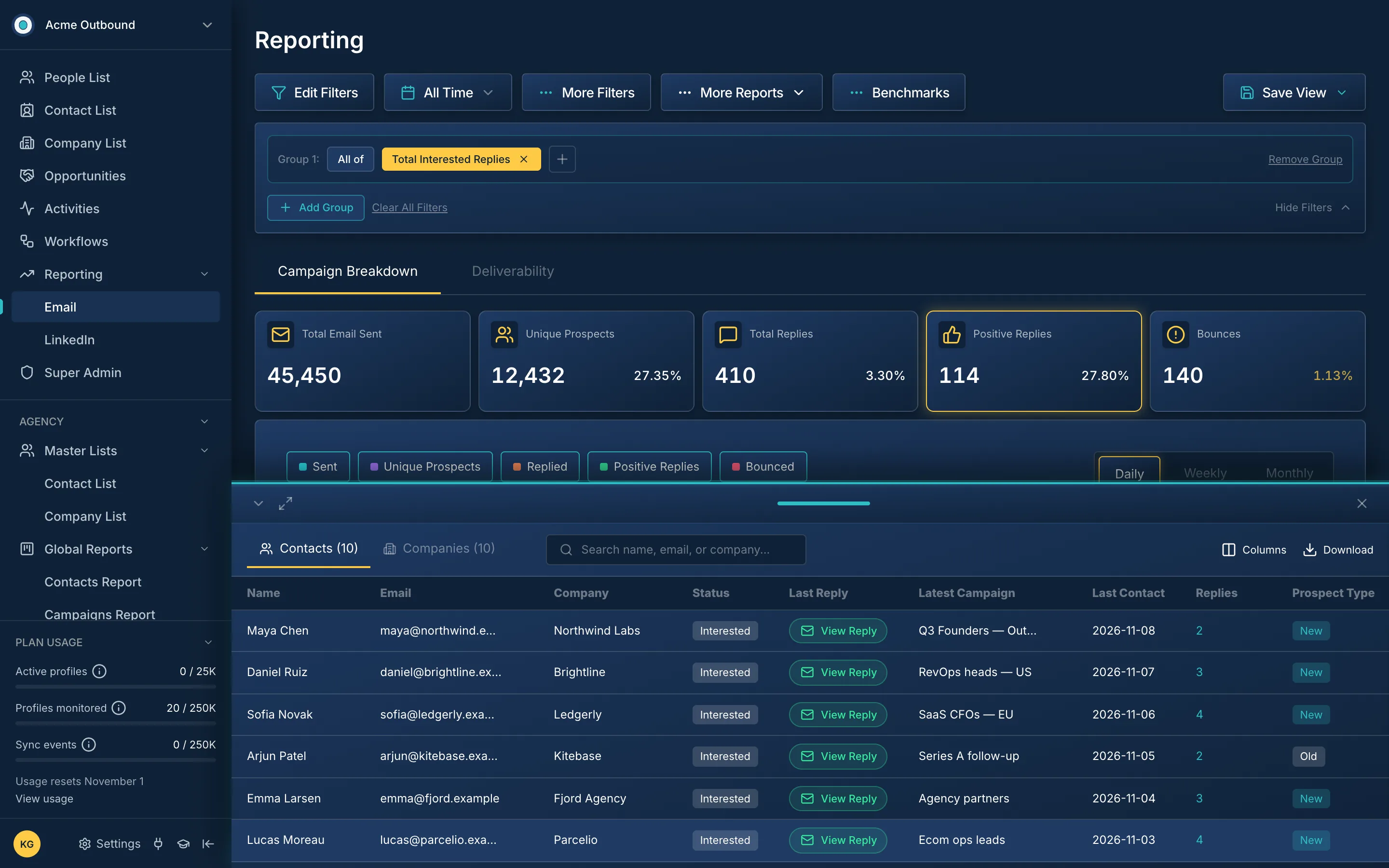
Click a number and get exactly who is in it — the chart and the table always agree.
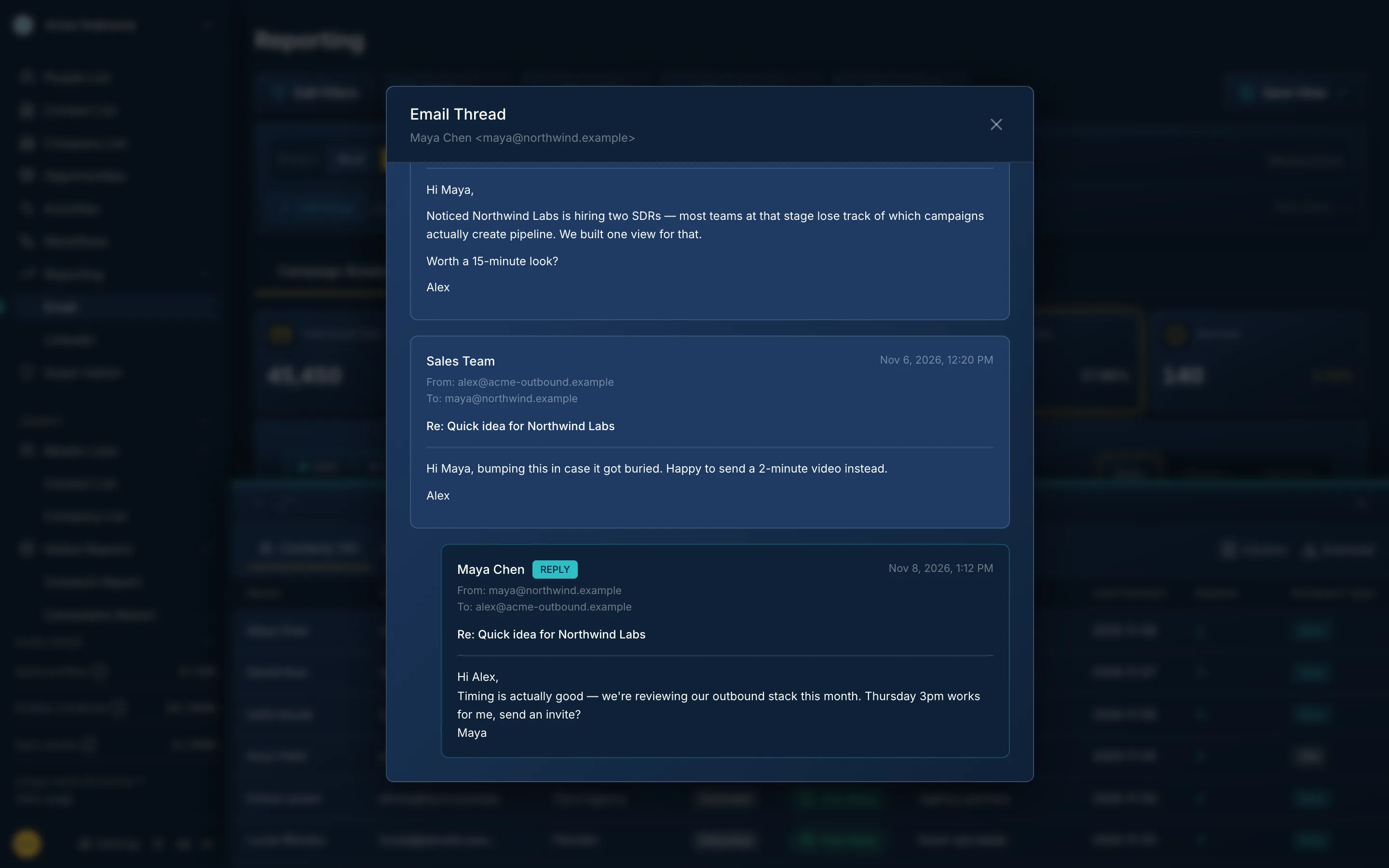
One more click opens the reply in its thread, no tool switching.
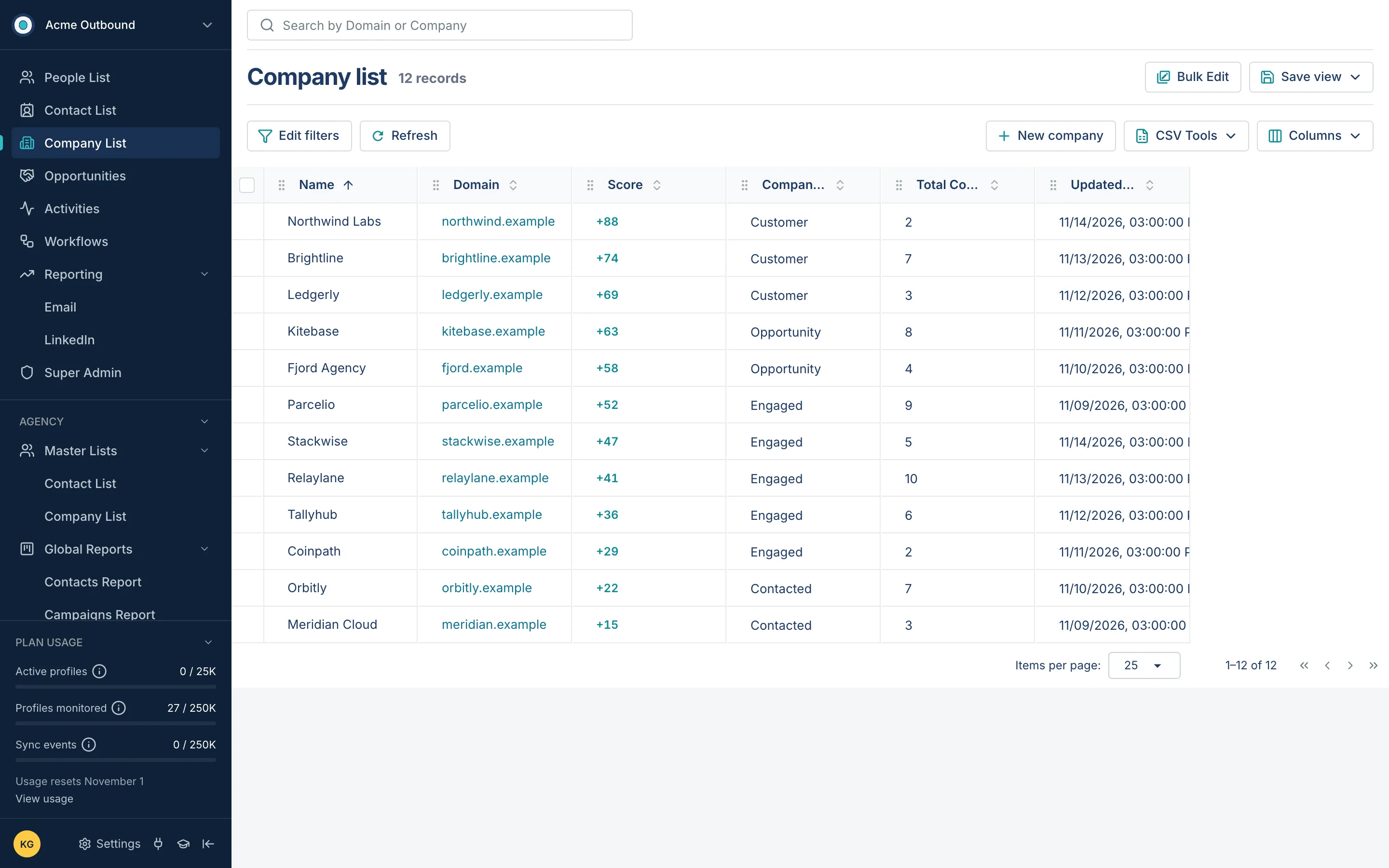
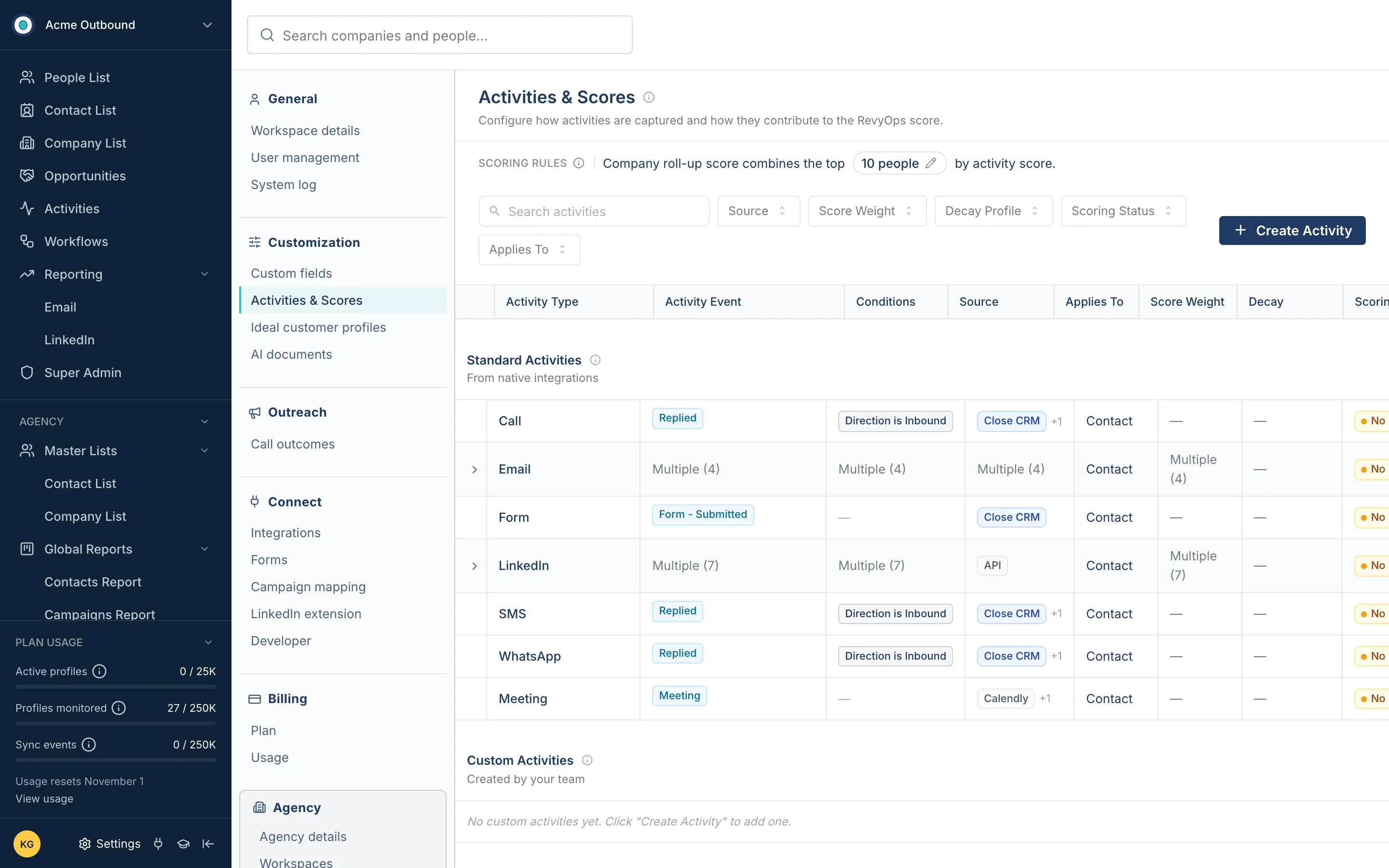
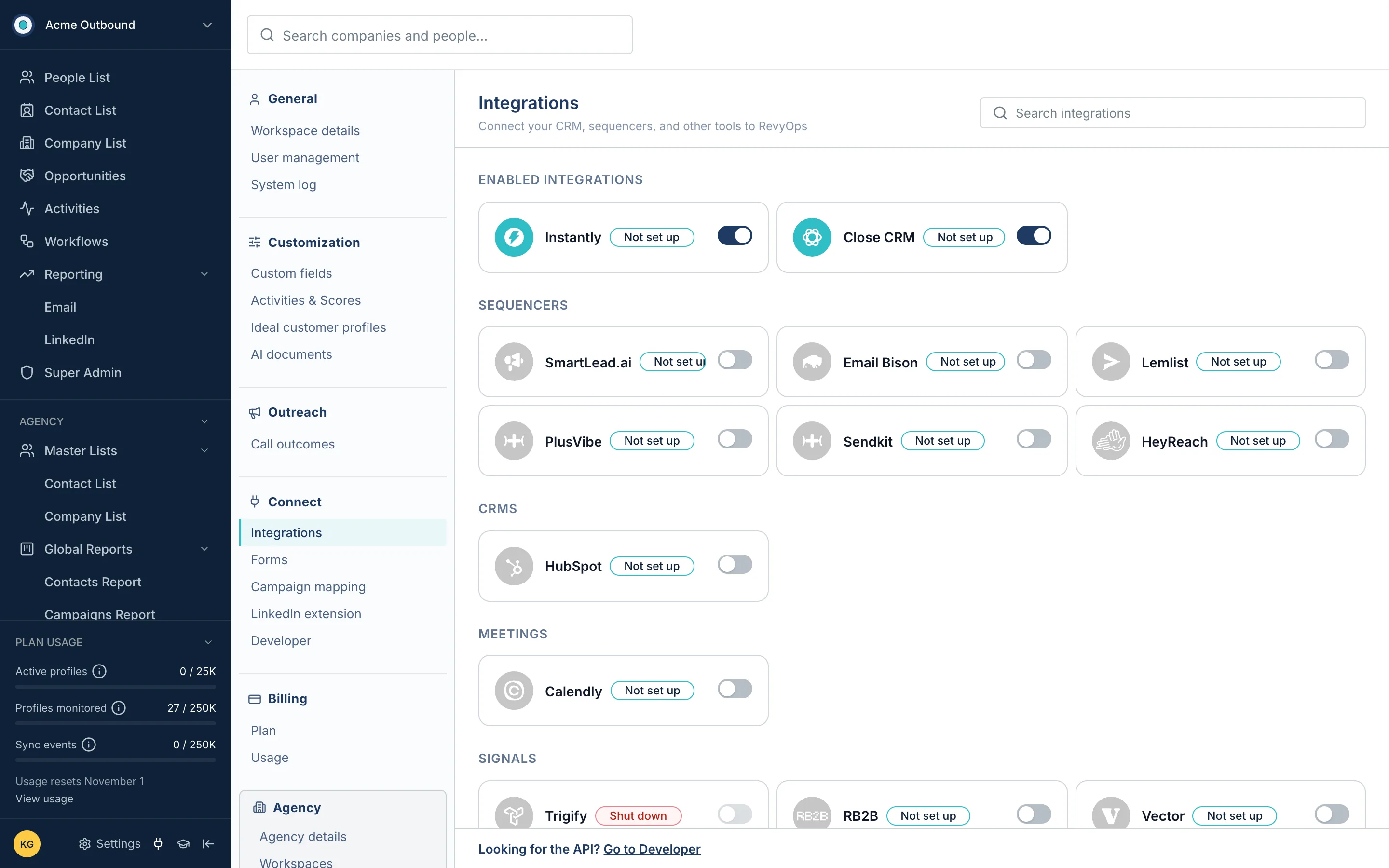
Emails, LinkedIn messages, calls, SMS, notes, meetings, forms and custom activities from every tool land on one timeline per person and per company, with filters by tool and by person.
Every list has filters that say in words what they do, columns you can add, rename, merge or delete, and saved views with folders and sharing — so each team builds the list it needs without asking for a report.
A workflow starts when a record enters a saved view, then runs AI agents, alerts, if/else branches and pushes to other tools. Drafts are kept apart from what is live, and every run has a history.
Dialogs, buttons, menus and tooltips were audited page by page and moved to one shared set of components, so a new screen looks and behaves like the rest from day one.